[singlepic id=18 w=320 h=240 float=none]
上一篇提到了Sense的UI真的滿聰明的。塔兔主人要多按menu去習慣menu的好用。因為沒有Multi touch,所以menu 和長壓(壓3秒)就成為重要的好習慣。
這篇會簡單介紹塔兔的長壓和menu的好用之處。
用塔兔中文機的人都可以感受到它輸入中文實在太方便了!如果不小心剛剛輸入的字不見了,打第一個字後,其他剛剛要輸入的字都會自動列在第一個,真的是名副其實的學習輸入啊~
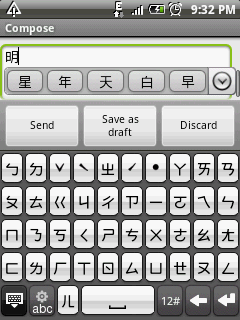
首先,沒有Multi touch,如何選字串呢?
很簡單!在輸入字的input text field長壓幾秒後,就會出現下面的畫面:

gmail - menu


18-Aug-2010 00:22, Panasonic DMC-GF1, 2.0, 20.0mm, 0.025 sec, ISO 800

18-Aug-2010 00:19, Panasonic DMC-GF1, 2.0, 20.0mm, 0.02 sec, ISO 800
至於menu鍵,這邊列出幾個例子,給大家一個概念-

home - menu

google map - menu

18-Aug-2010 00:20, Panasonic DMC-GF1, 2.0, 20.0mm, 0.033 sec, ISO 800
非常容易上手!
写的很好~,学习、学习
想不到我一拖就快一年,也已經要換手機了!!真是拍謝啊!